isahar.
All projects
Our own productCloud telephonyCall centerAI agentsIVRWeb · Desktop · Mobile

The company's phone system and its AI agents, in a single app: in the browser, on desktop, and on the phone.
Clientisahar's own product
PlatformsWeb · Desktop · iOS · Android
Our roleProduct, design, and development
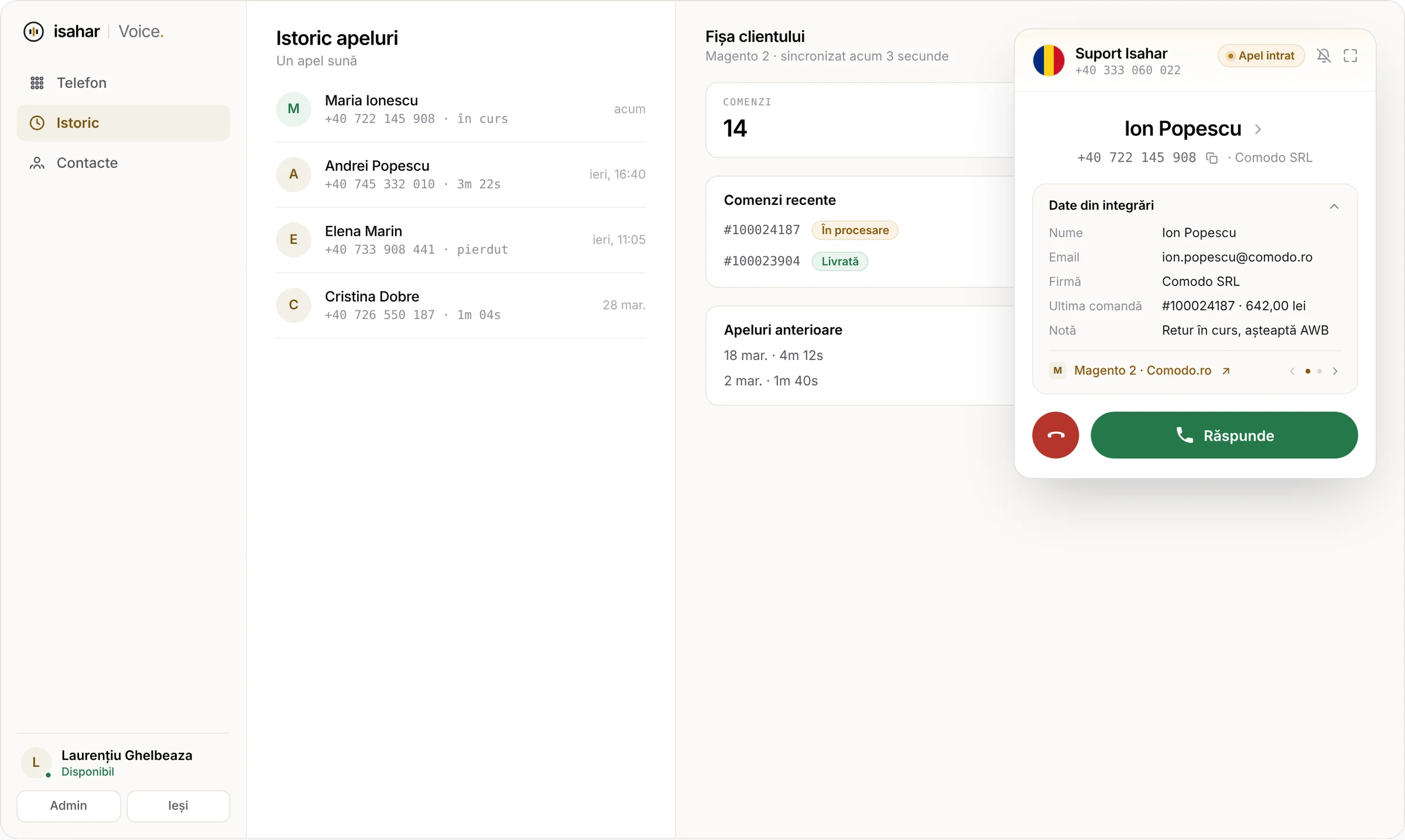
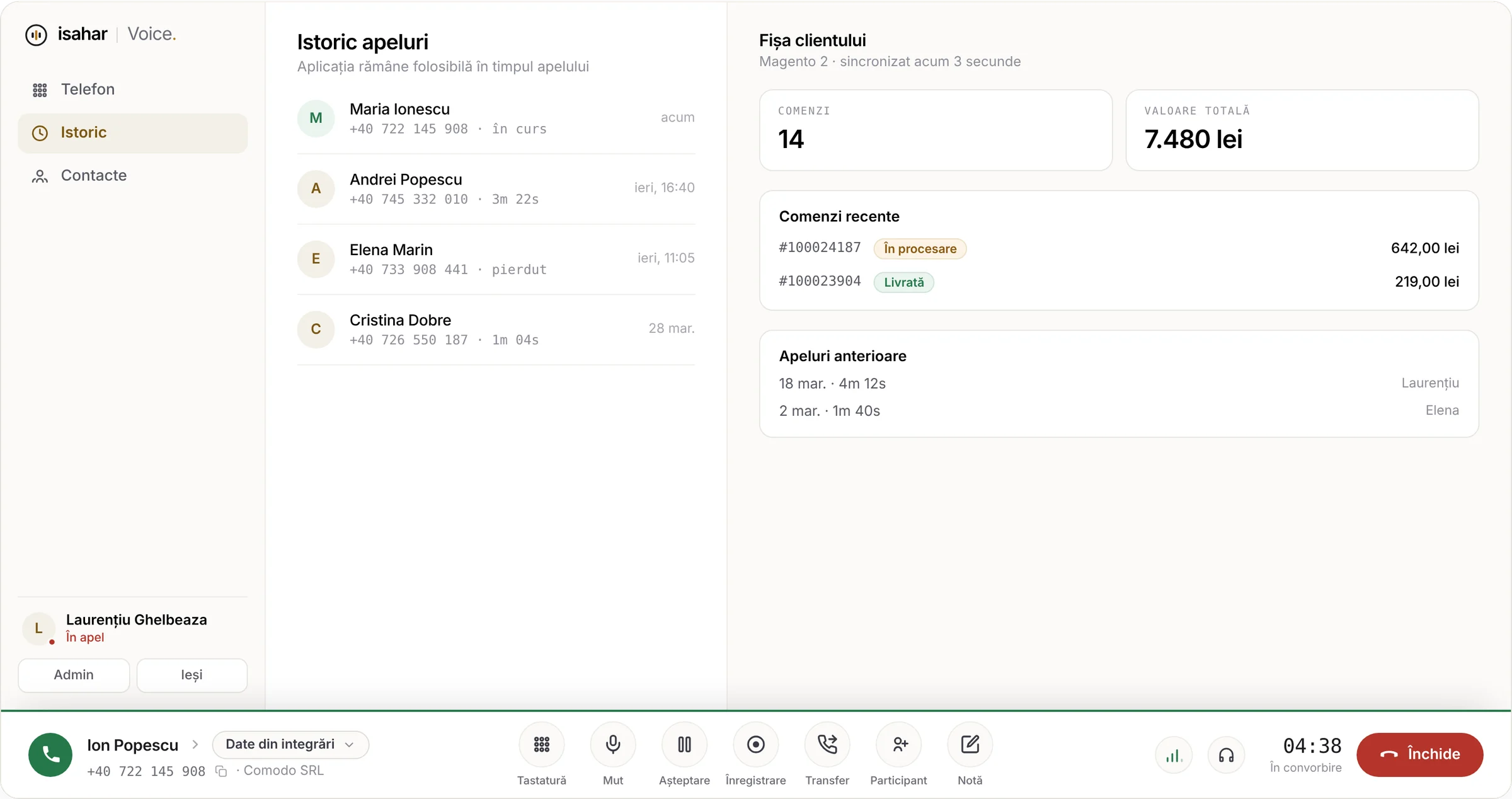
The isahar Voice app during a call: call history, the customer's card with their Magento orders, and the call bar at the bottom
BrowserThe company's phone, from any tabCalls over WebRTC, no hardware.
DesktopmacOS and WindowsAn incoming call shows up over any other app.
iOS and AndroidRings like a real phone callEven with the app closed.
AI agentsAnswer and call in campaignsWork in the same flow as the team.

About the project

isahar Voice is our cloud telephony platform for sales, support, and customer relations teams. We built it from scratch as our own product: phone numbers, a phone system, history, conversations, AI agents, and apps for browser, desktop, and phone. The interface is in Romanian and English and adapts to how each company works.

The challenge

Traditional phone systems are expensive, hard to configure, and don't talk to the apps a company already works in. The agent doesn't know who's calling, missed calls have no thread, and any schedule change needs a technician. We set out to build a phone system that configures itself, shows who the customer is and what orders they have on every call, and lets an AI agent take whatever can be resolved without a person.

The solution

One product, with eight parts working together. Each one was designed, tested, and built by the isahar team.

01 · The phone

Calls from the browser, with the customer's card in view
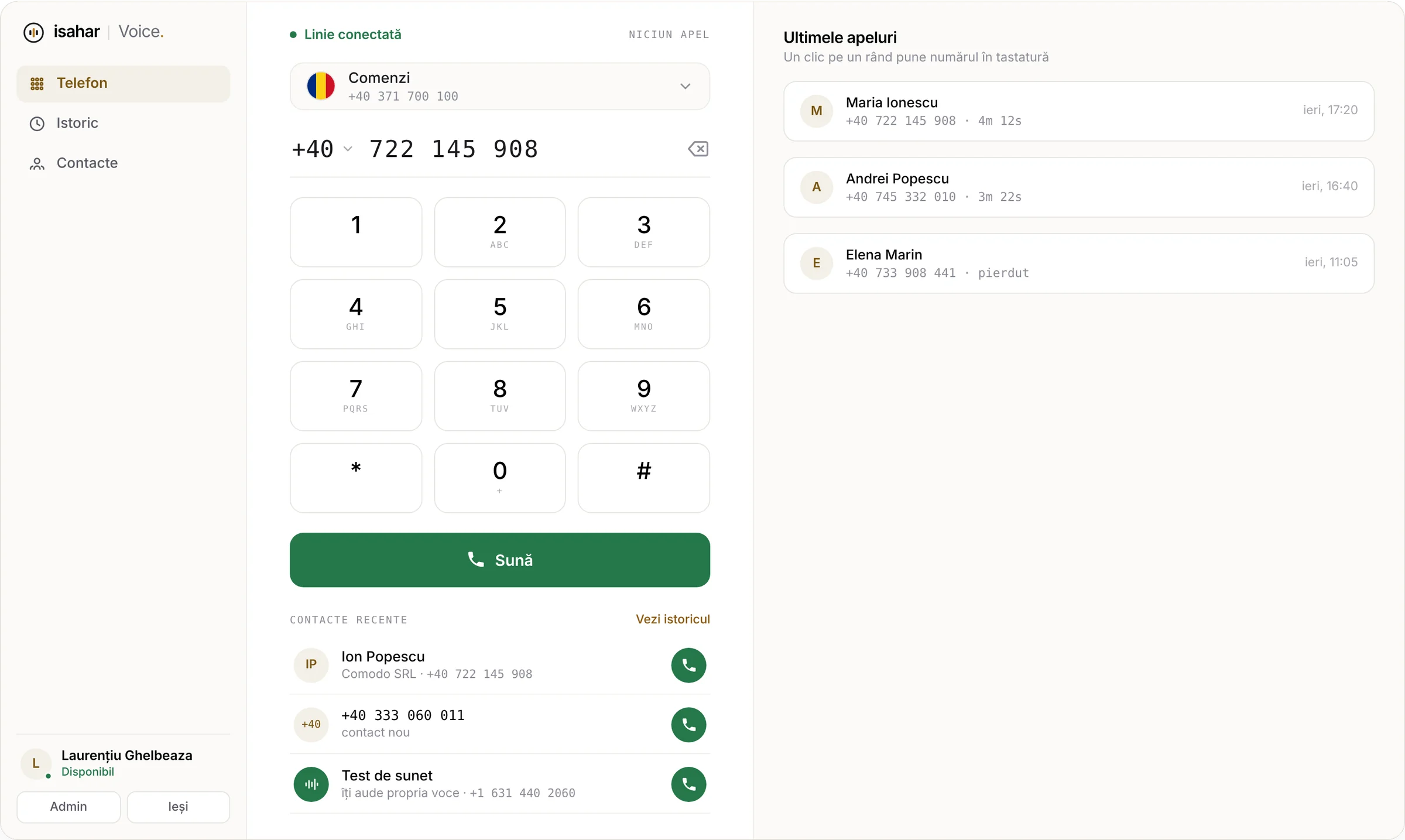
a browser webphone, with a keypad, choosing which number to call from, and recent contacts
during a call, the controls sit in a bar at the bottom, and the rest of the app stays usable
on an incoming call, the card shows who's calling, which queue, and their Magento orders
mute, hold, transfer, recording, and a note attached to the call
The Phone page: the keypad, the number you're calling from, and recent calls
Phone: the company's number, the keypad, and recent contacts.
The incoming-call card, with the customer's data from Magento and the Answer and Decline buttons
Incoming call: data from integrations shows up before you answer.
02 · Conversations

Every customer, a single thread

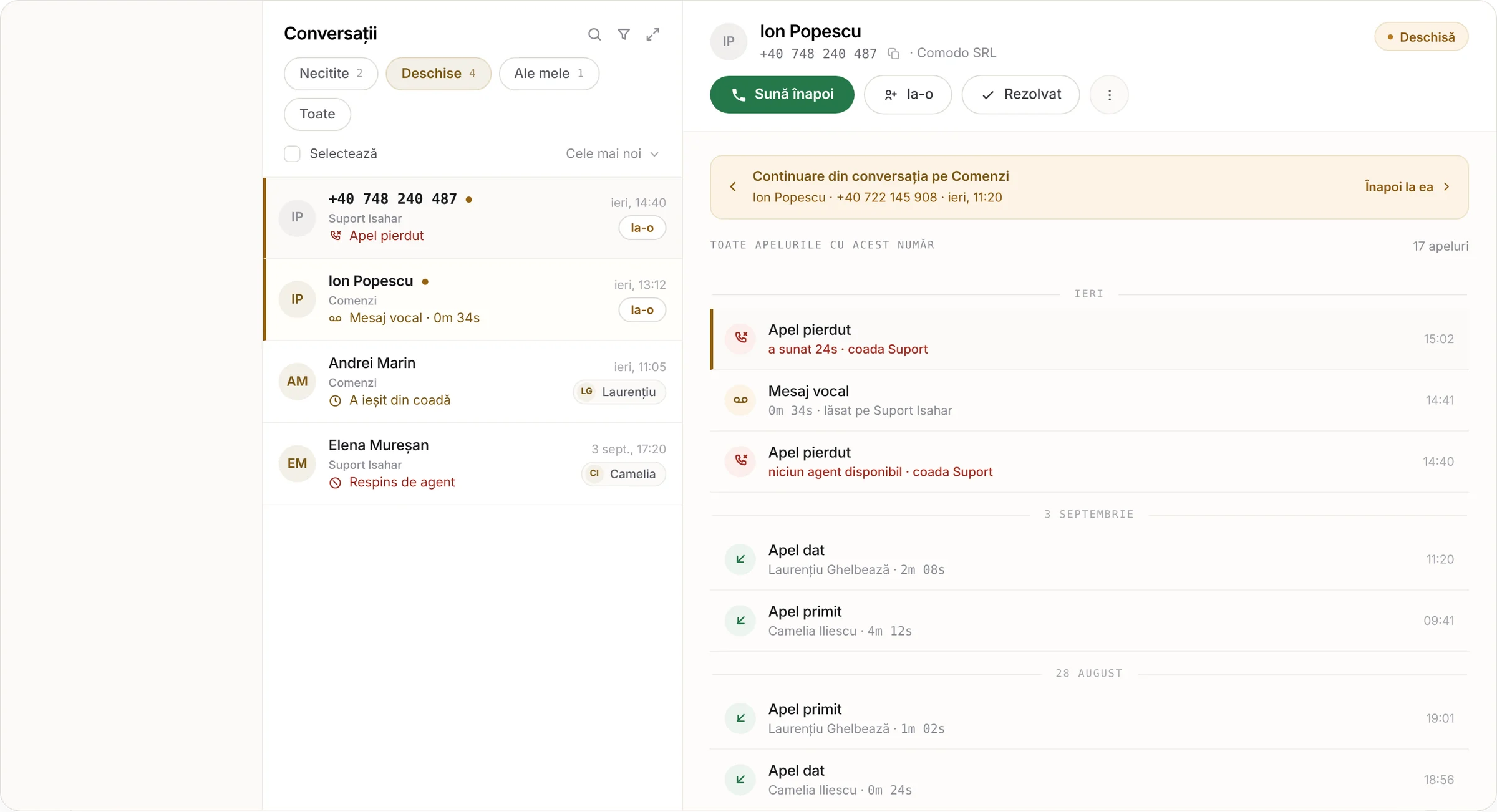
a customer's calls, voicemails, and chat sit in the same conversation
filters for unread, open, and mine, plus assigning a conversation to a teammate
recording and transcription for every call, with the team's notes
tags added by agents during the call
The Conversations page: the customer list on the left and one customer's thread with missed calls, voicemails, and calls made
03 · Call flows

The IVR is drawn, not programmed

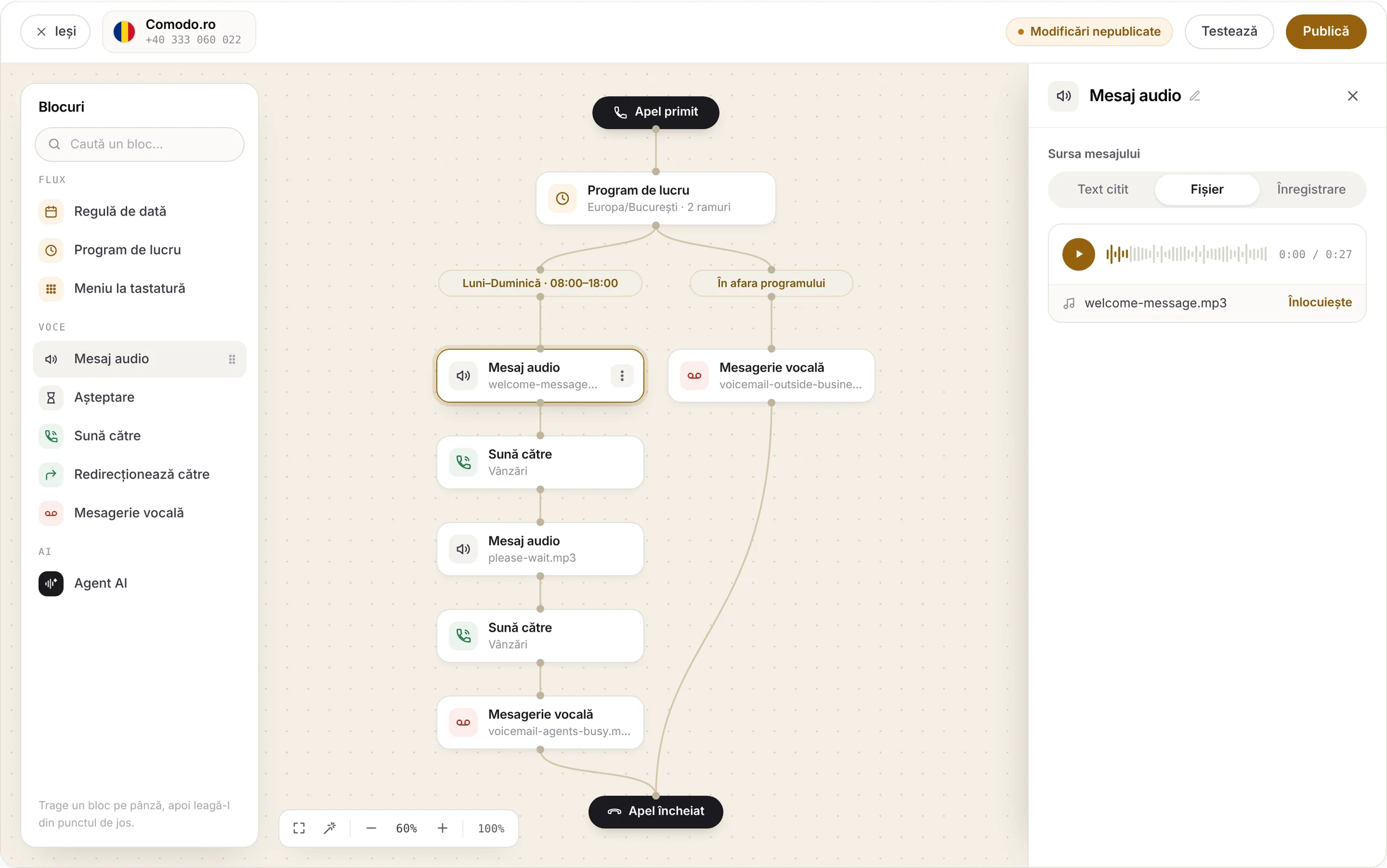
a visual editor for each number's flow: business hours, keypad menu, queues, voicemail
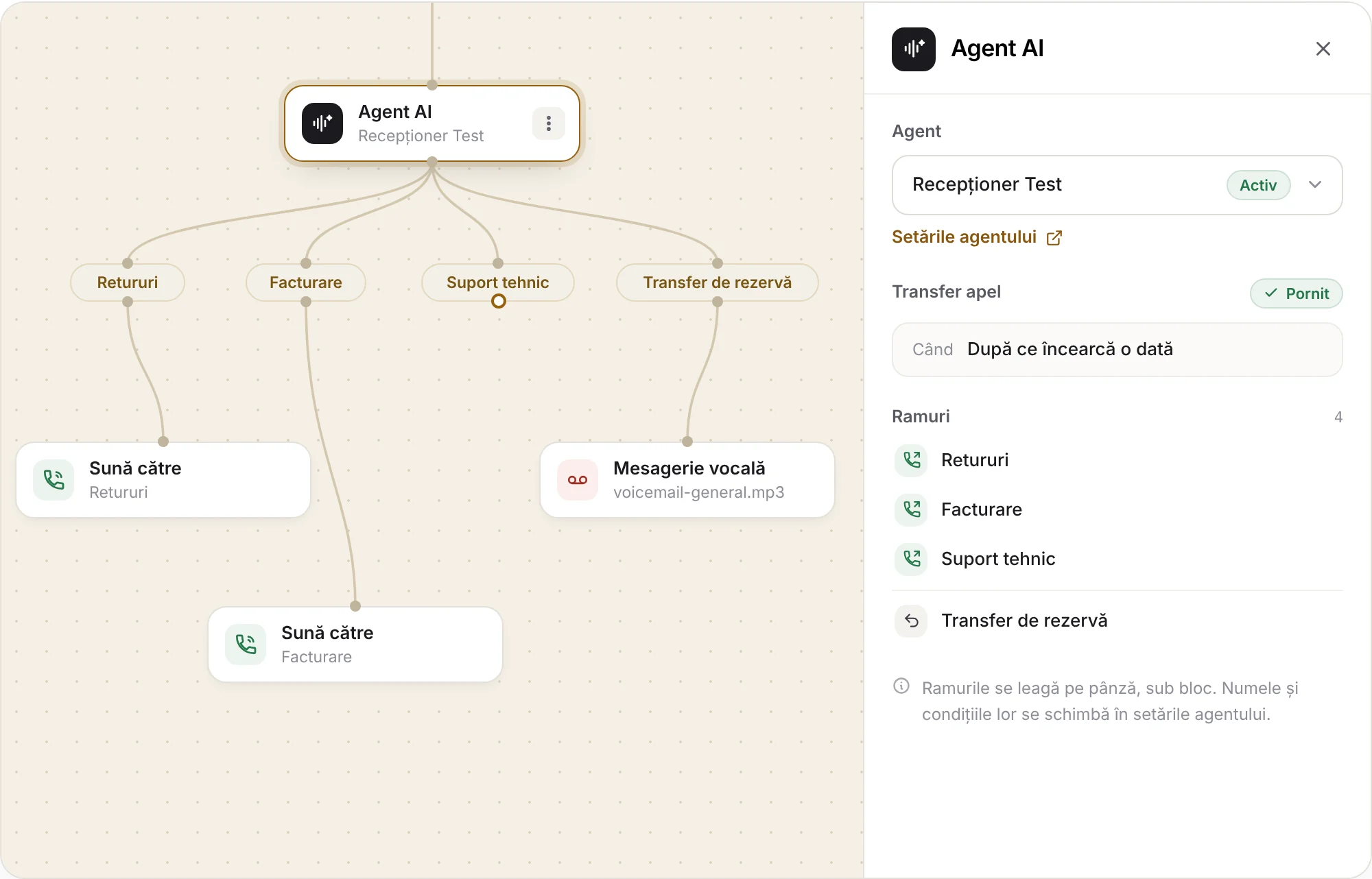
the AI agent is just a block in the flow, with transfer branches to teams
before publishing, the editor shows what's missing, and where
special days, blocked numbers, and forwarding to another number
The flow editor: the Business Hours, Audio Message, Call To, and Voicemail blocks linked on a canvas
The AI Agent block in the flow, with the Returns, Billing, Technical Support, and Backup Transfer branches
The AI agent decides the branch: returns, billing, or support.
Built for whoever configures it

The app never shows words like “node”, “branch”, or “webhook”. States are named after what happened: “Missed call”, “Left the queue”, “Declined by agent”.

04 · AI agents

A teammate who answers the phone and knows where the order is
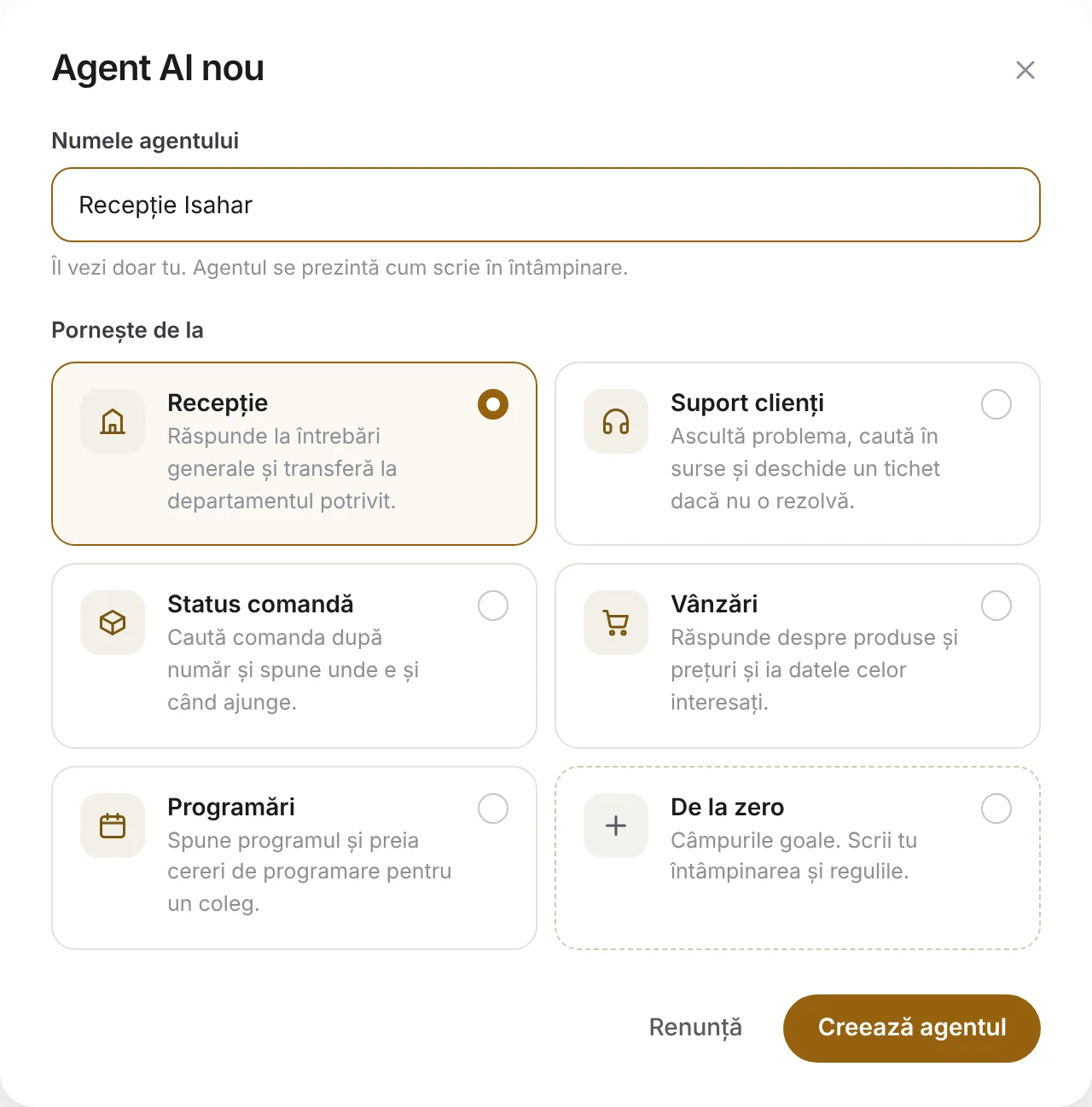
agents starting from templates: reception, customer support, order status, sales, scheduling
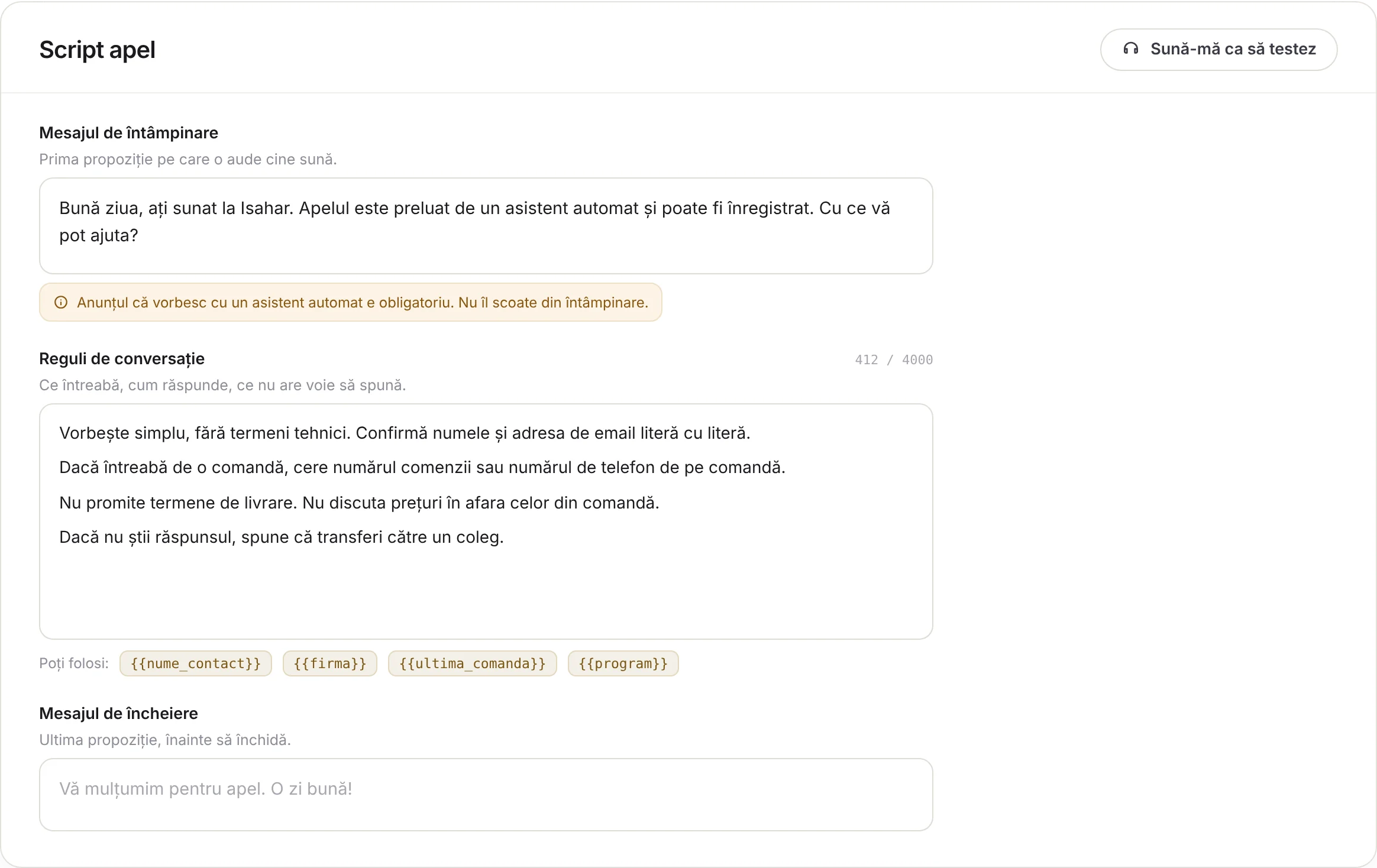
a call script with conversation rules and variables from the company's data
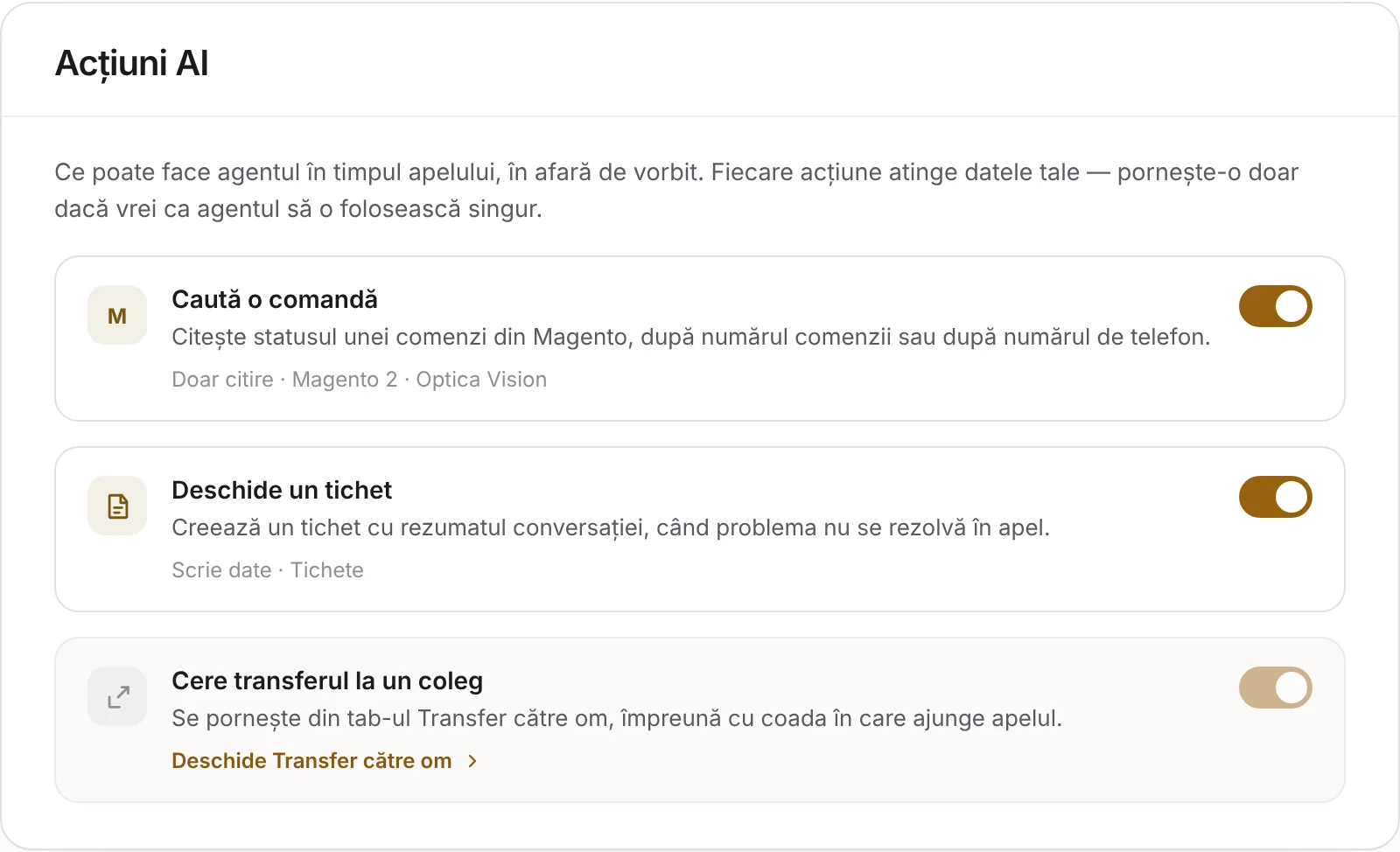
in-call actions: look up the order in Magento, open a ticket, ask to transfer to a teammate
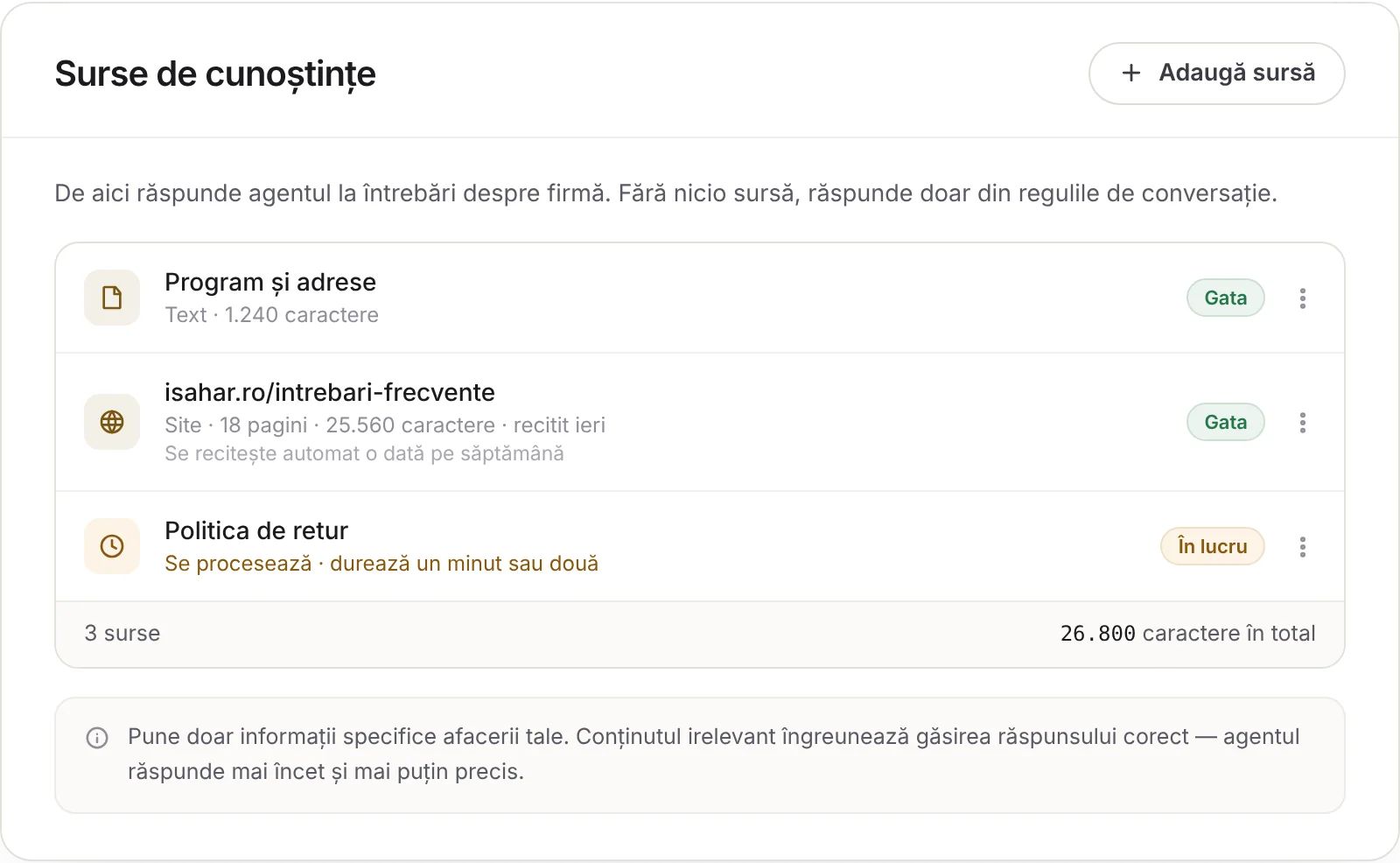
knowledge sources from text, from the website, and from documents
agent performance and the questions it didn't know how to answer
The New AI Agent dialog, with the Reception, Customer Support, Order Status, Sales, Scheduling, and From Scratch templates
The agent's AI actions: Look up an order, Open a ticket, and Ask to transfer to a teammateThe agent's knowledge sources: hours and addresses, FAQs from the website, and the return policy
The agent's call script: the greeting message, conversation rules, and the closing message
05 · Campaigns

The AI agent calls, from a contact list
outbound campaigns in four steps: settings, how it calls, contacts, and review
CSV import, with invalid numbers and duplicates removed before launch
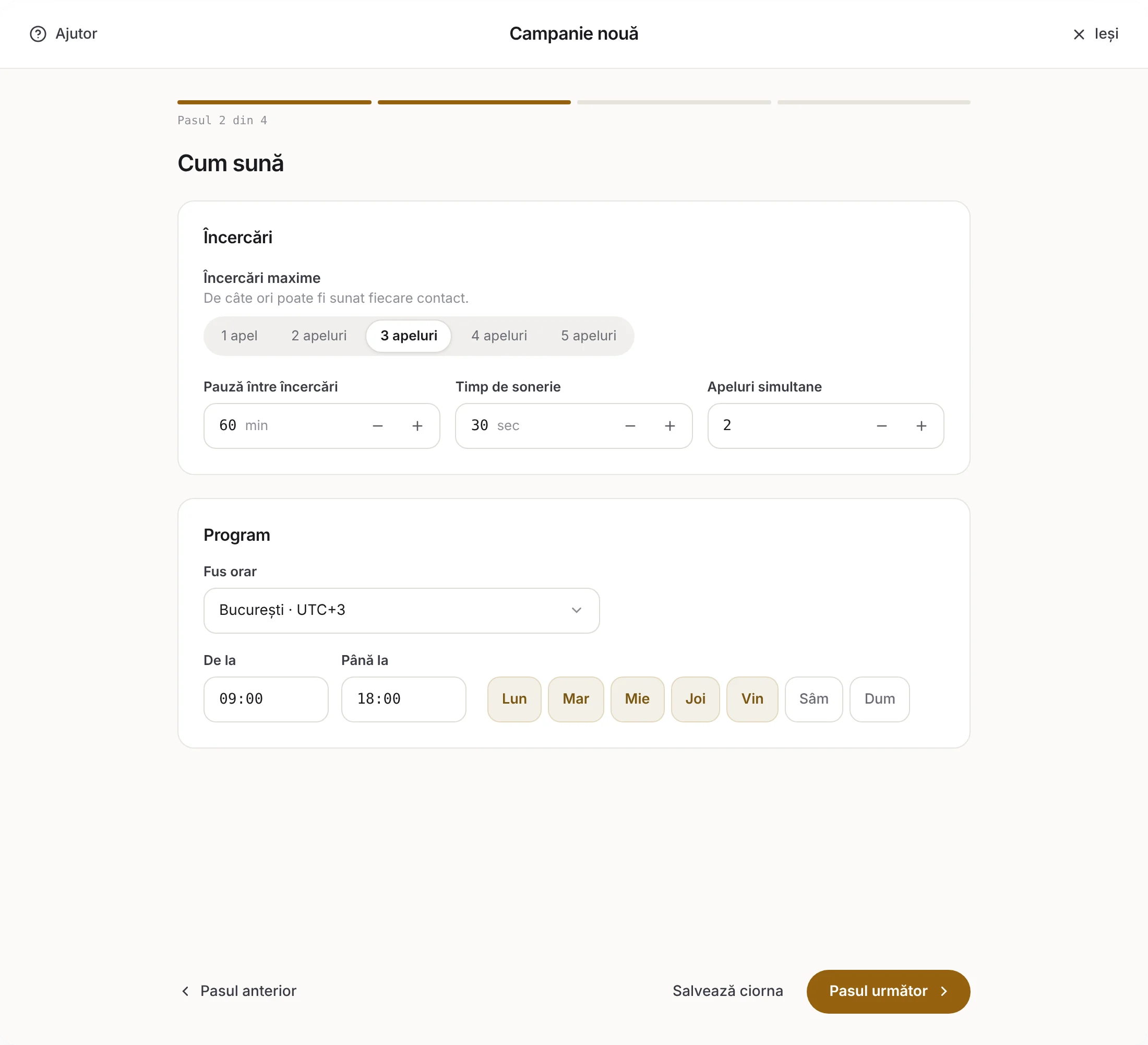
schedule, number of retries, and simultaneous calls
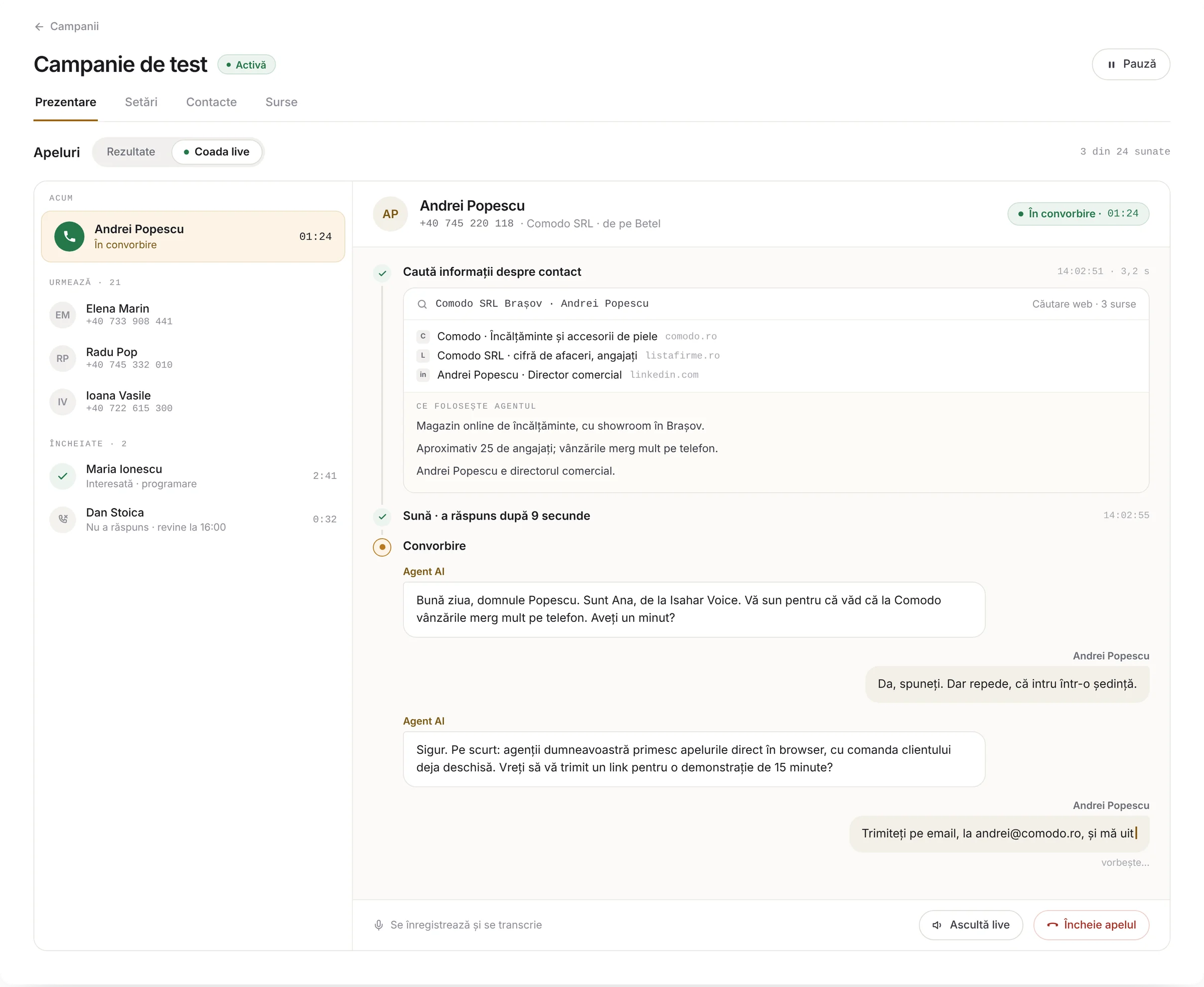
the live conversation, with what the agent learned about the contact
An active campaign: the call list on the left and the live conversation between the AI agent and a contact
The How It Calls step of creating a campaign: max retries, pause, ring time, simultaneous calls, and schedule
06 · Chat

The website's chat lands in the same app
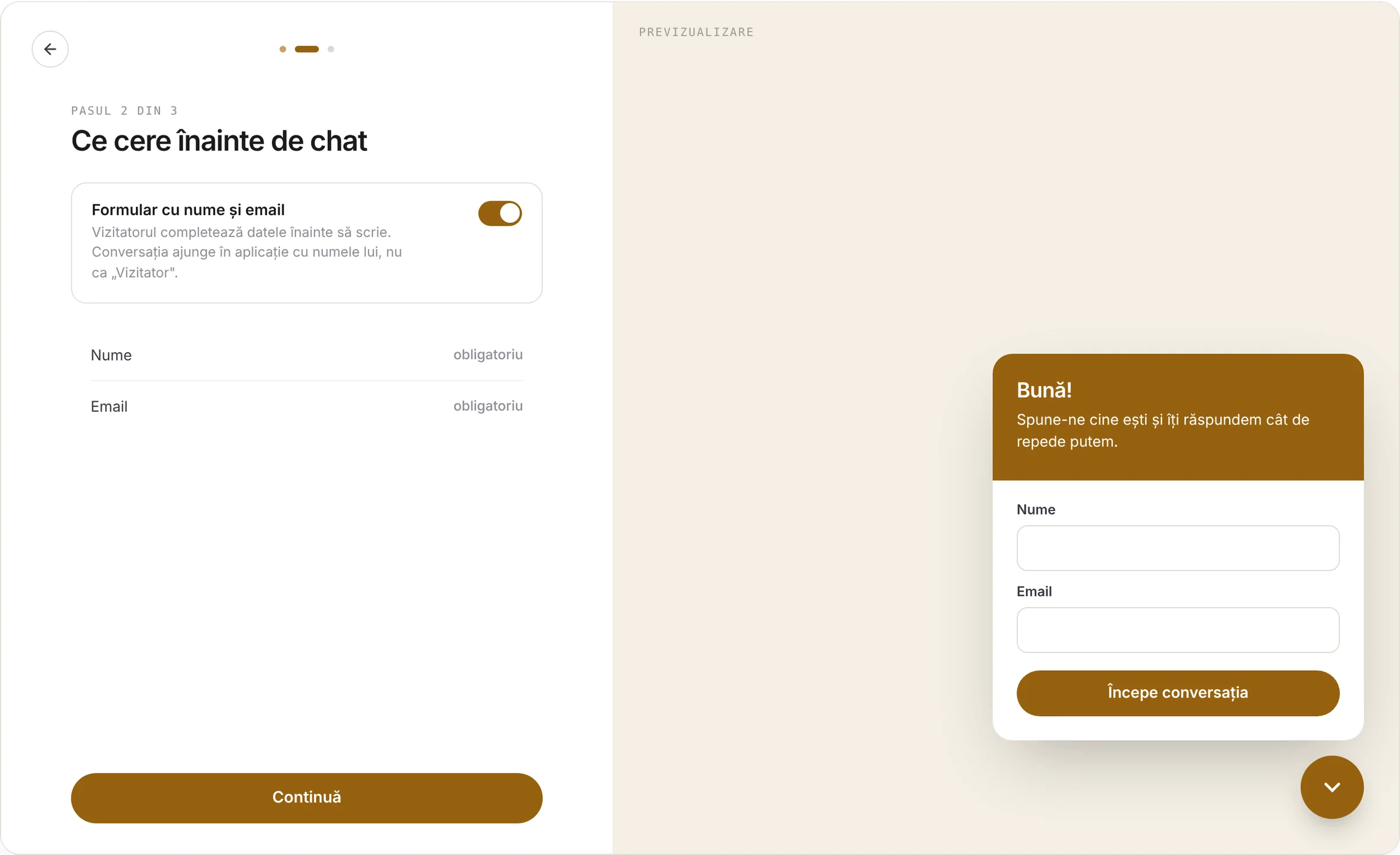
a chat widget for the website, set up in three steps, with a single line of code
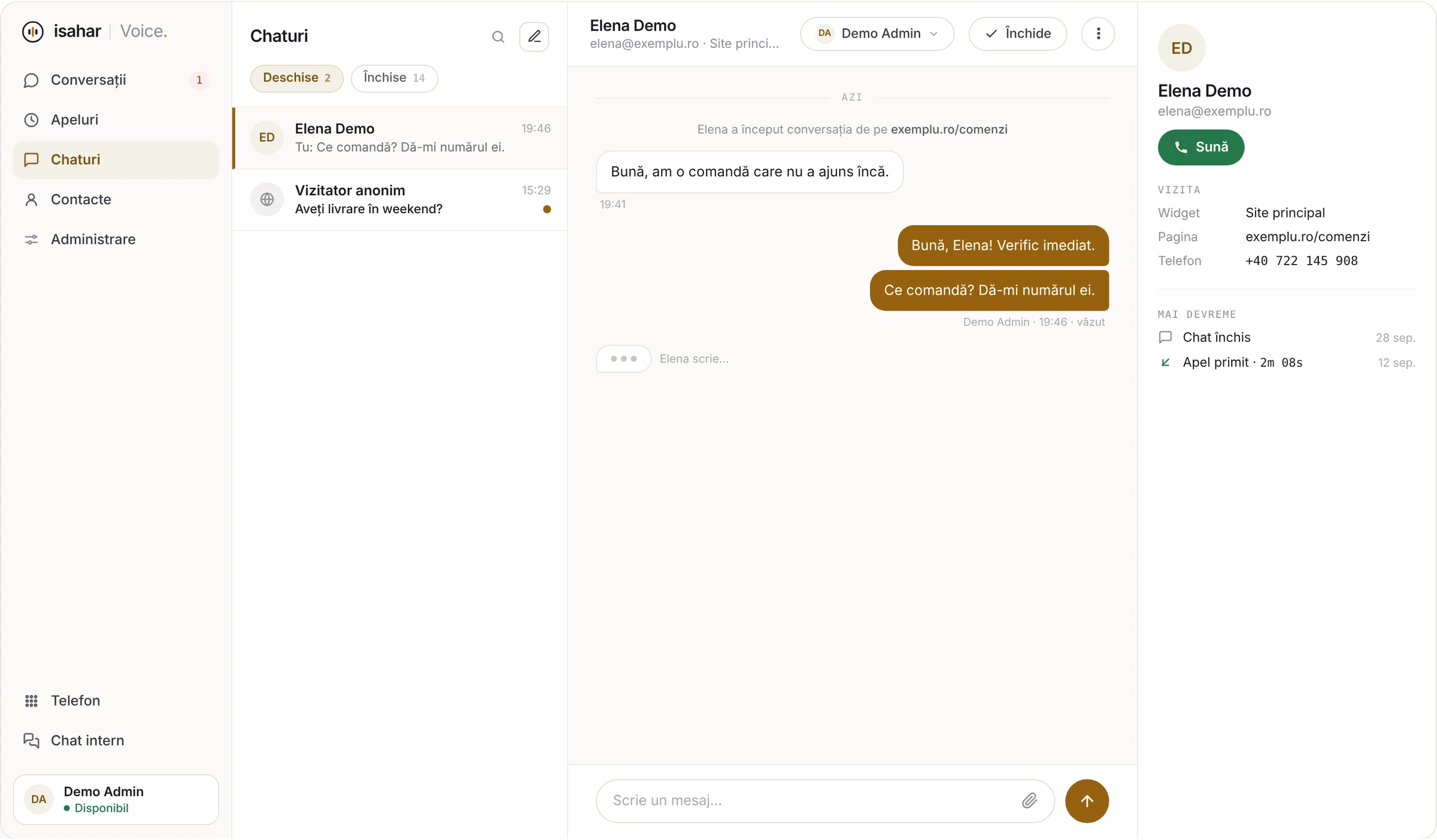
chat conversations sit next to calls, and you can call the customer straight from chat
internal chat between teammates
The chat inbox: the conversation list, the messages with the visitor, and their card with a Call button
Setting up the chat widget, with the name and email form and the website preview
07 · On the phone

The company's phone, in your pocket

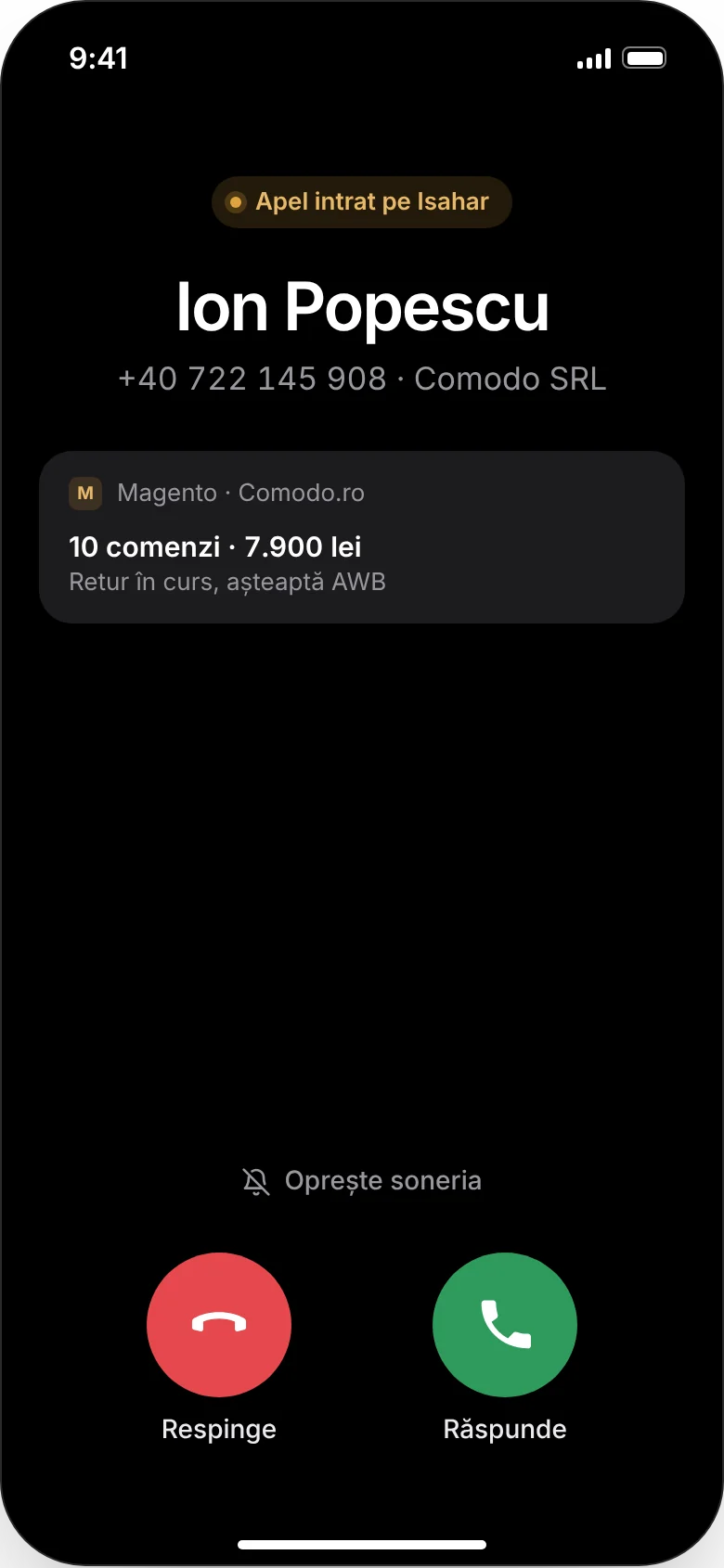
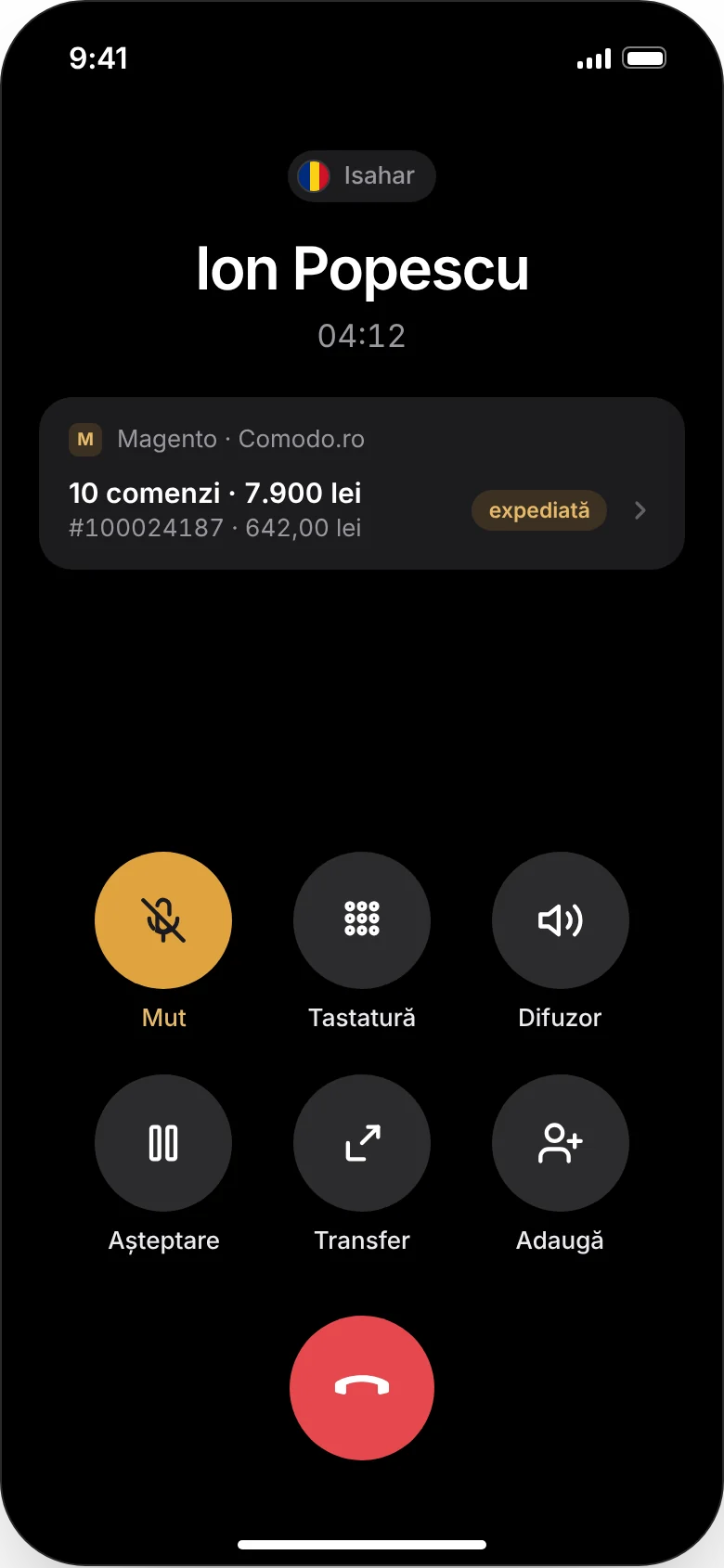
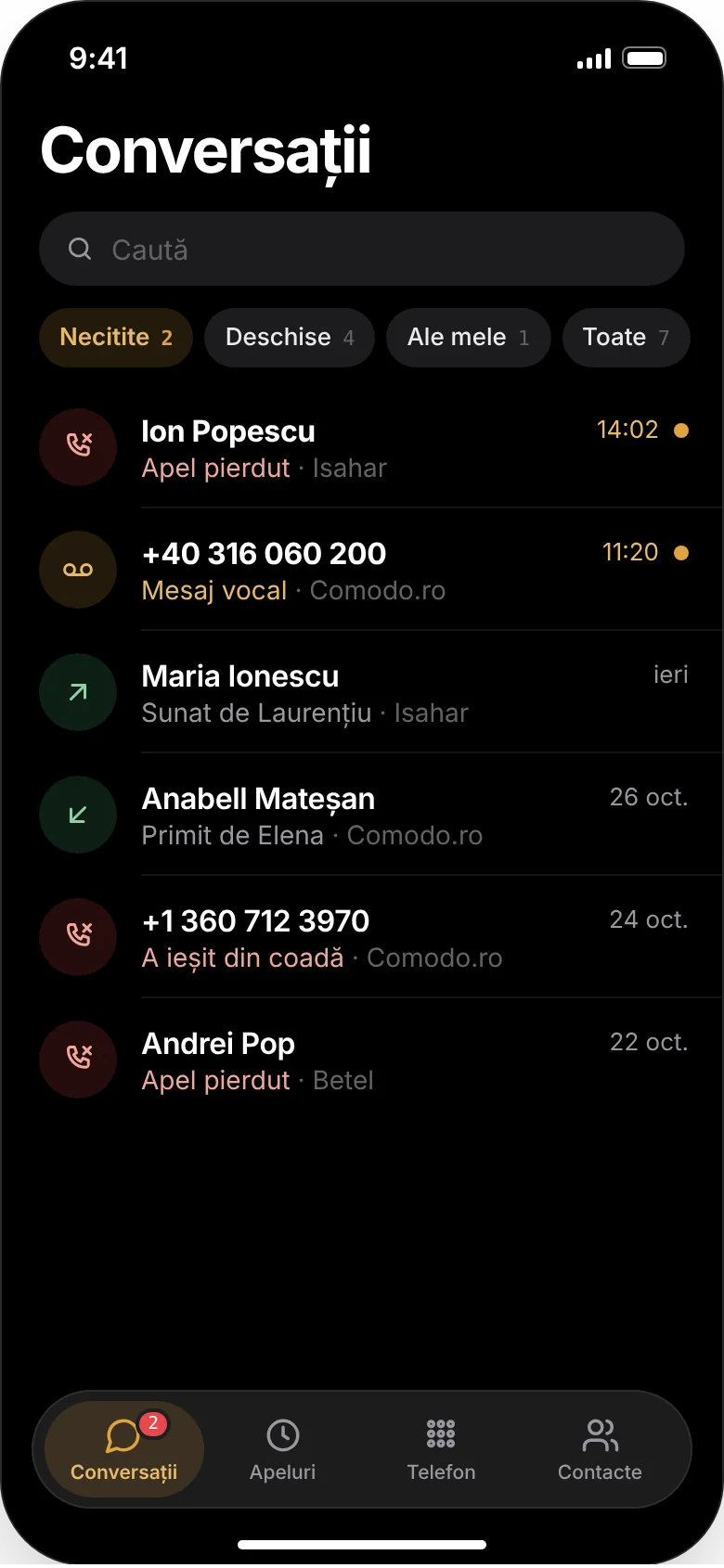
native iOS and Android apps, with calls over CallKit and ConnectionService
the phone rings even with the app closed, even with the screen locked
the customer's card on a single row during the call: their orders and value
automatic availability schedule, with a light and a dark theme
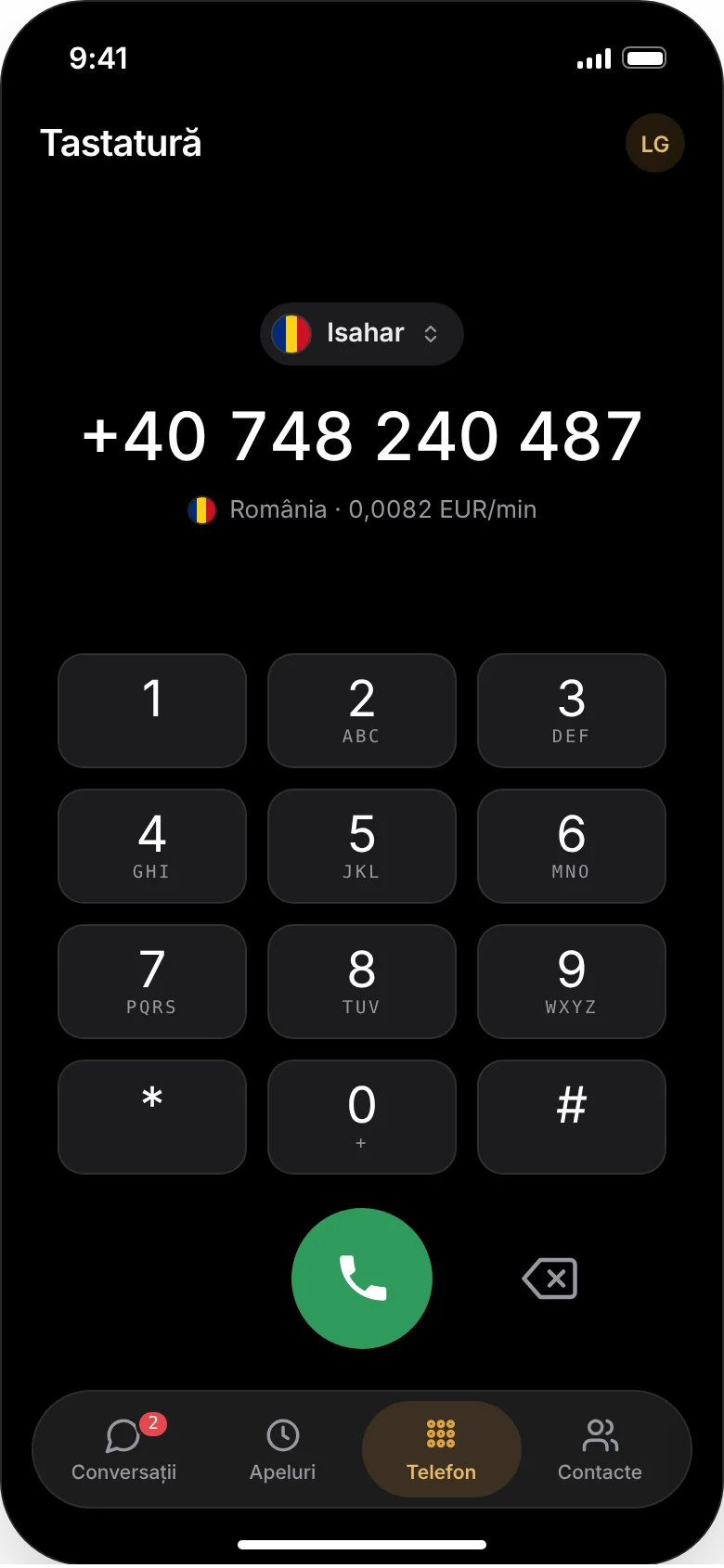
An incoming call on the phone, with the customer's name, their Magento orders, and the Decline and Answer buttonsThe in-call screen on the phone: the timer, the customer's card, and the Mute, Keypad, Speaker, Hold, Transfer controlsThe conversation list on the phone, with missed calls, voicemails, and filtersThe call keypad on the phone, with the company's number selected at the top
08 · Administration

The company sets up its own numbers, team, and integrations

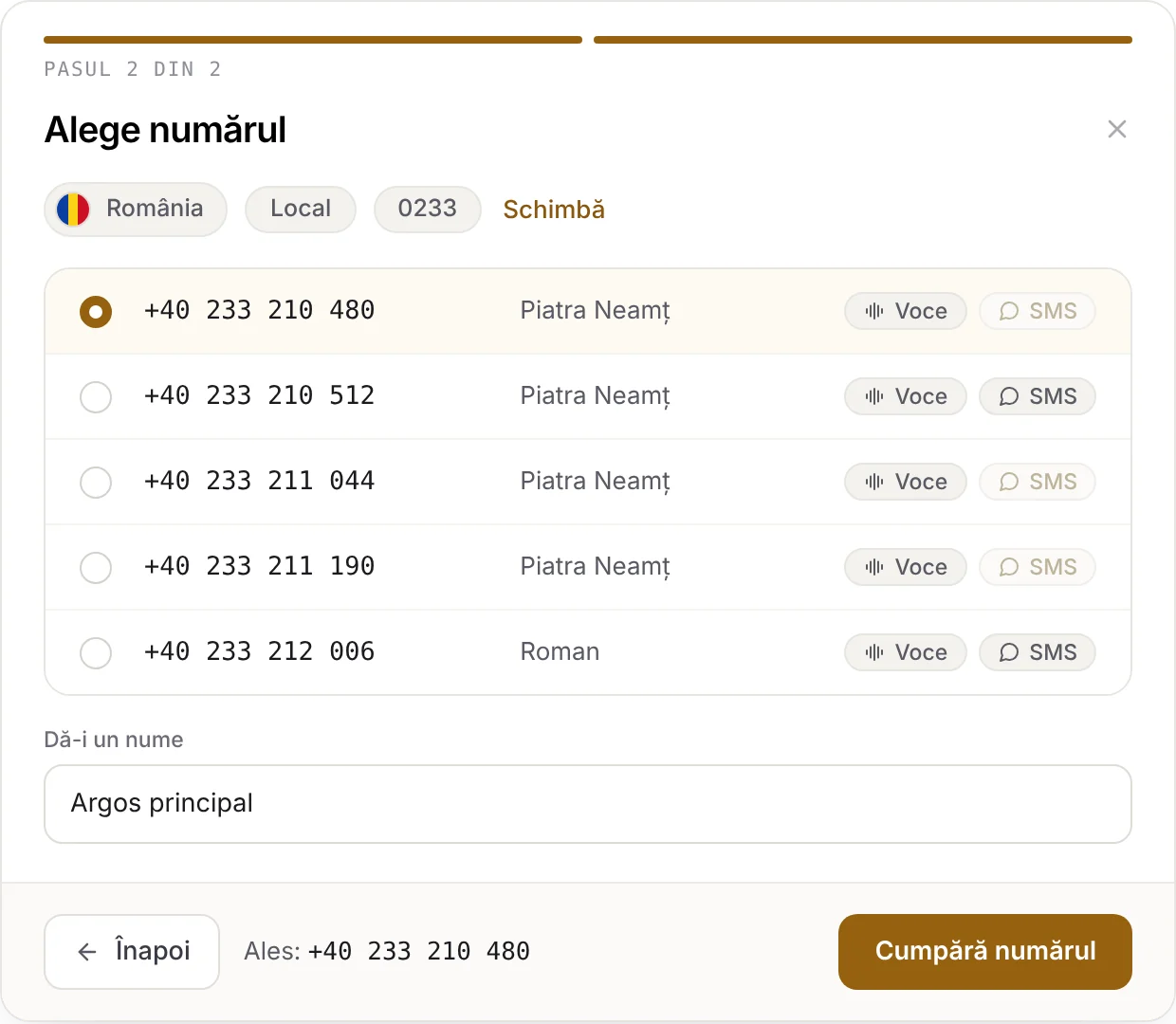
Romanian numbers bought from within the app, with the company's documents verified
agents, teams, roles, and availability by schedule
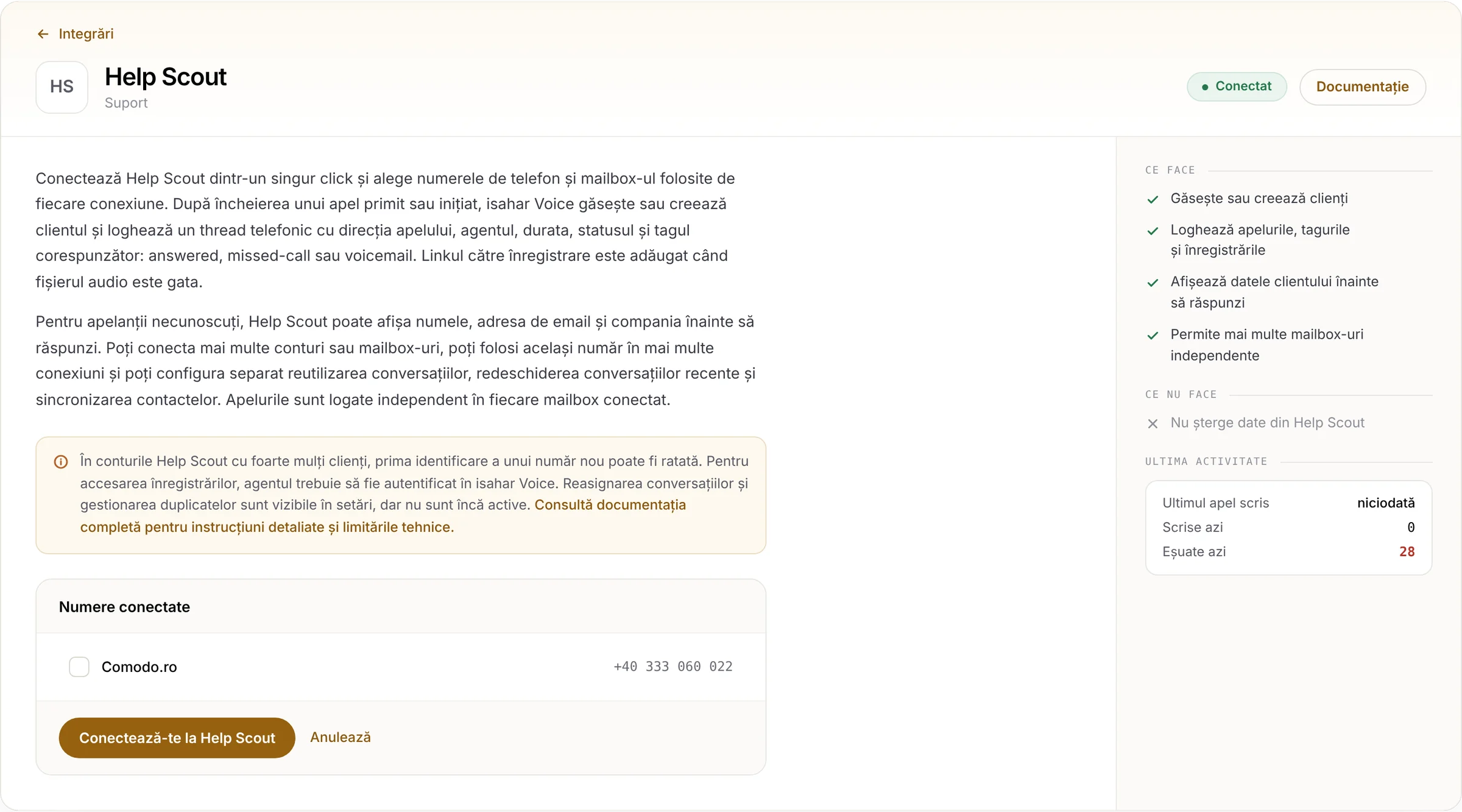
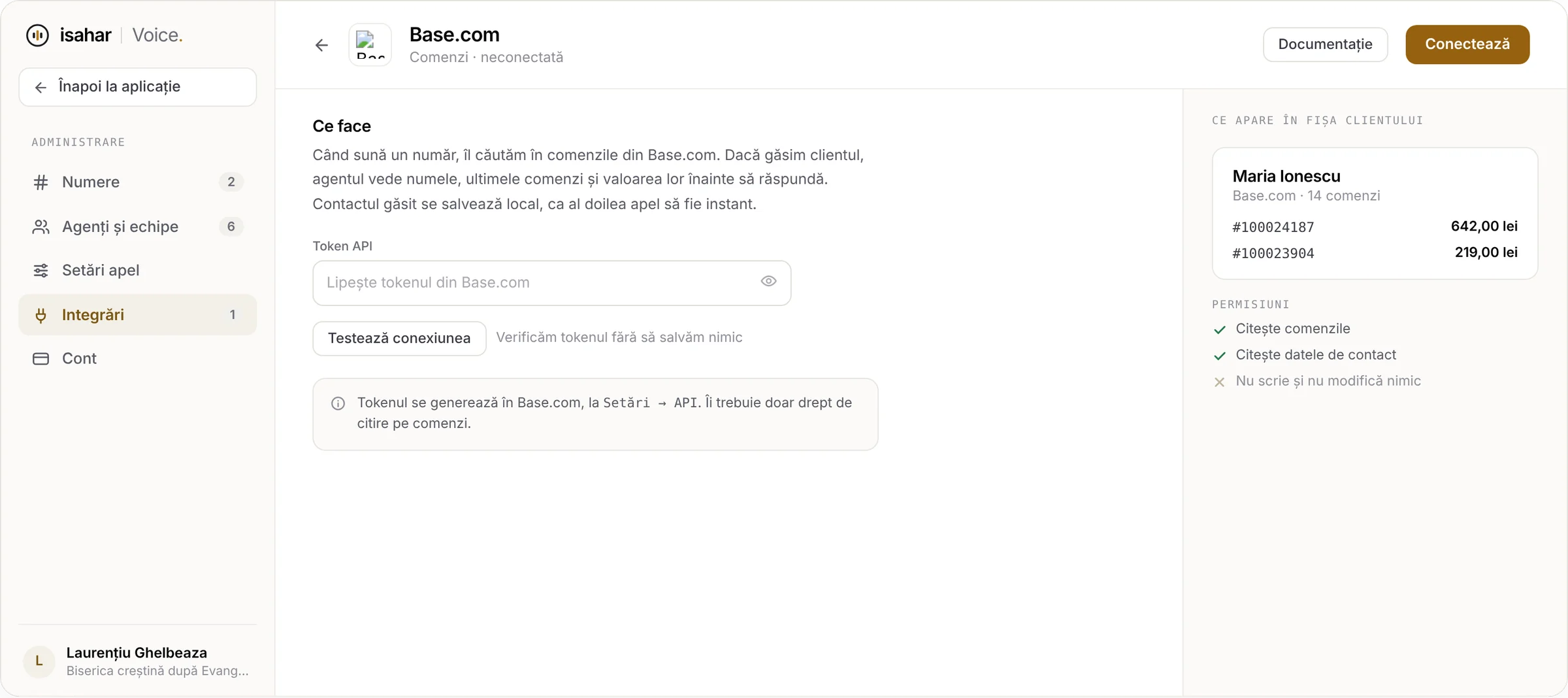
integrations with Magento, Base.com, HubSpot, and Help Scout
webhooks, API keys, plan, and billing
Choosing a new number from Piatra Neamț, with Voice and SMS capabilities
The Help Scout integration: mailboxes linked to numbers, and what gets created after each callThe Base.com integration: the API token and customer data shown during a call
Design

A warm, calm, dense working tool

The app has its own design system. We rebuilt everything, from colors to every screen, and wrote rules that every new page follows.

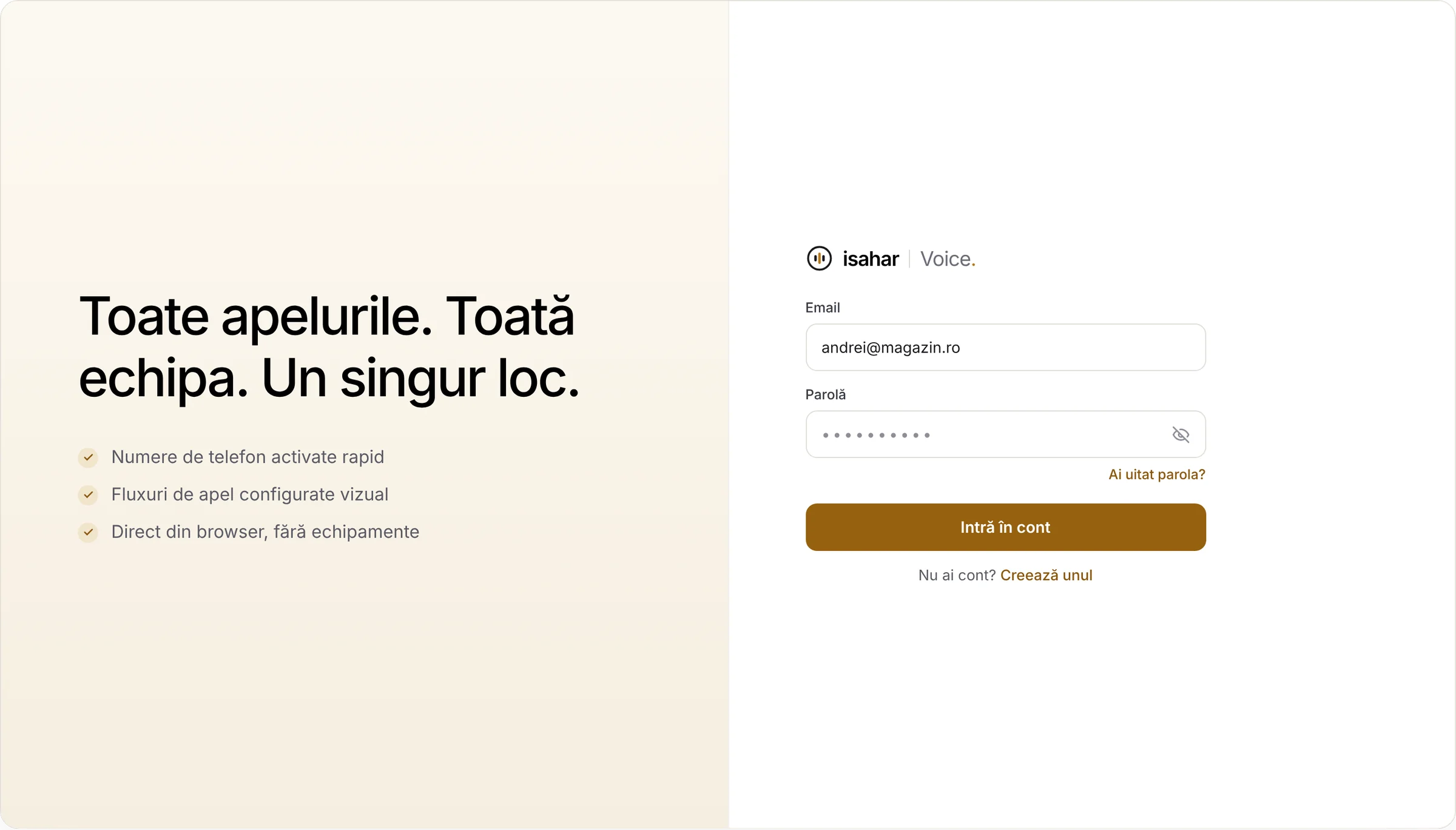
The isahar Voice login screen: All your calls. Your whole team. One place.
A single accentAmber for actions, on warm paper. No blue, anywhere.
Colors with one meaningGreen only ever means “start or pick up the call”. Solid red, only “hang up”.
Aa +40 722 145 908Geist and Geist MonoNumbers, durations, and codes, always in mono, so they line up.
RO · ENRomanian firstWith correct diacritics everywhere, and an English version for every piece of text.
4platforms: web, desktop, iOS, and Android
Human + AIAI agents and the team, in the same call flow
Integratedwith Magento, Base.com, HubSpot, and Help Scout

The result

Calls reach the right person faster, and the agent sees who's calling and what orders they have from the first “hello”. Whatever can be resolved without a person is picked up by an AI agent. The company configures its own numbers, flows, and team, from a single app, with no technician needed for every change.

Next projectCollonil.roView the project

Ready to modernize how you talk to customers?

Calls, the team, and AI agents, in a single cloud telephony platform.